Showing posts with label One True Filofax. Show all posts

Friday, 3 August 2012

OTF: Many True Filofaxes Guest Post


Hi everyone! 

Here is a fantastic guest from Marcus, who wants to show us how 2 filofaxes used simultaneously works perfectly for him!

Enjoy!


MY TWO FILOFAX SYSTEM

As an Army officer I am, apparently, one of the original target market for Filofax. I have been a committed 'user' since being an Infantry Platoon Commander in 1996. I don't remember the model of the binder I had at the time, but it was Personal Size with 2 sets of rings (duplex?) and 2 heavy duty press studs. In a time of limited computer use at Battalion level, this served me well for many years. This was also a time when more Filofax inserts were available. I actually had and used many that were available, including the likes of  the 'Soldier Record Cards' to keep details of all my troops under command. As an Infantry Company Commander, I now have have over 190 troops under command,  more responsibility, a much faster pace of life and the curse of Email. my organisation system has therefore evolved considerably.

Anyway, scene setting – onto what works for me. My system consists of 2 Filofaxes, an A5 and a Pocket. Currently, both are Kendals, although the A5 was a City until recently. It had to be retired after 8 years of hard service (including two tours of Afghanistan!) and it now reclines on the bookshelf in my office looking after all my spare inserts. The Pocket Size is my analogue PDA and has been with me for 5 years now, hence the colour difference in the photo below.


The A5 Filofax
This is primarily my work Filofax. During the working day, I will have this to hand in the office, or in my daysack when I am out and about. It provides me with room to scribble and therefore think. The best thing about A5 size, is the ease with which I can print, punch and file documents. Whilst this is also possible in personal size, every page requires trimming, which can be a pain. In the Filofax I have the following:
ñ  Blank Notepaper – My 'Inbox' and capture tool when at my desk. I use standard (non Filofax) quadrille paper which I punch to fit.
ñ  Actions, Projects, Waiting and Agenda tabs. These are based on GTD and are mostly extracted from the DIY Planner kits. It is also the most worked part of the Filofax and I can quite easily fill (but also cross off) 2 sides of 'Next Actions' for the office in one day. This is also where I keep track of tasks that I have delegated to my Platoon Commanders. Personally, I find pure GTD too detailed, meaning I spend more time scouring my lists of next actions than actually doing stuff. I have settled somewhere  between the minutiae and the big picture which seems to work for me. (I can expand on my system in a later conversation if anyone is really interested).


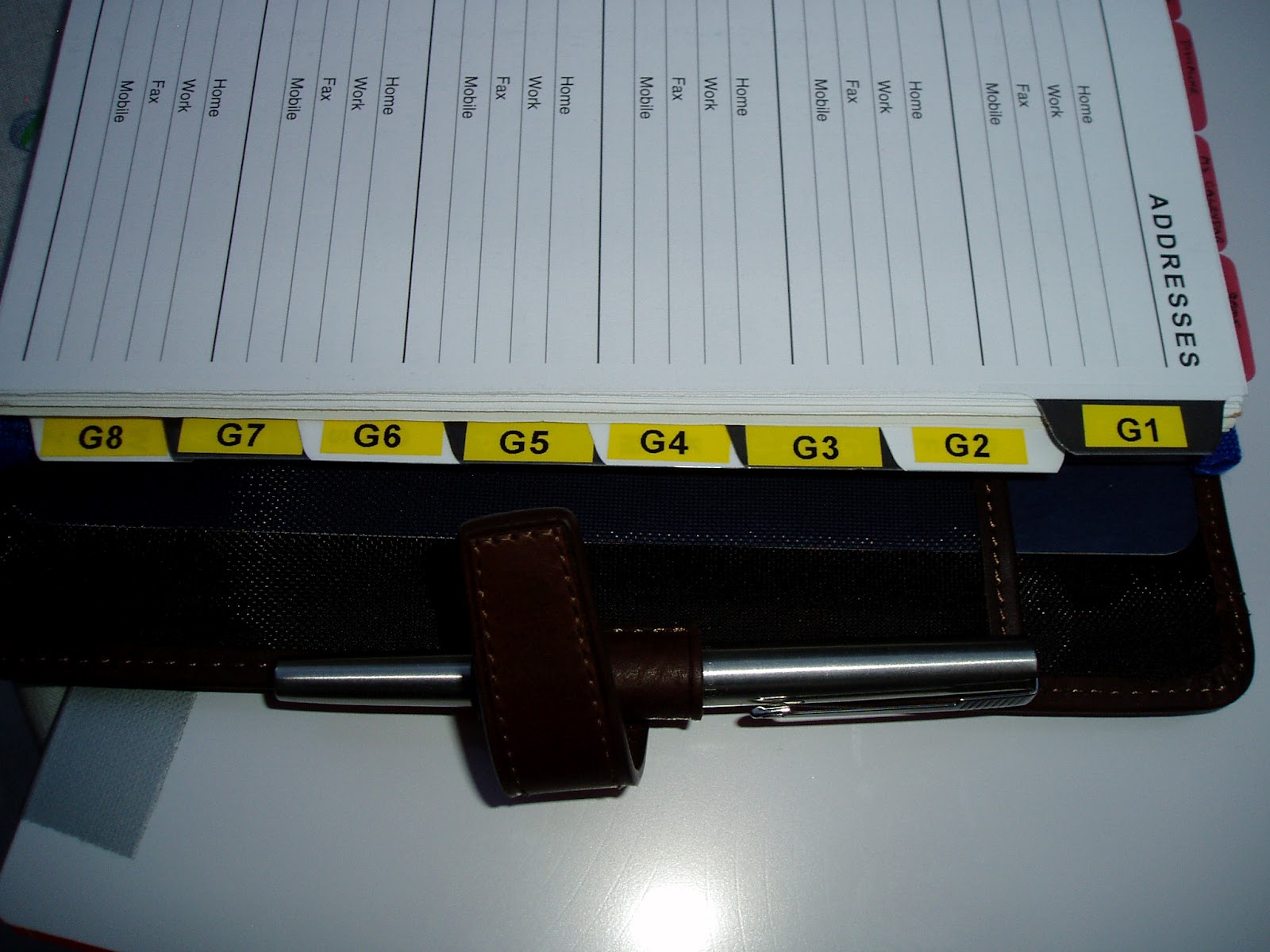
ñ  A Reference Tab (although I called it Info), which has further tabs behind, dividing up information along Military Staff Functional Areas. This is the information I need to hand most days, either in the office, or in meetings, but probably not in between.


ñ  Towards the back are the ubiquitous card holders, along with a zip wallet containing my passport and various other paperwork.
ñ  Finally, right at the back, in the pocket designed for the Filofax Notepad, I keep a Moleskine Cahier for taking notes that I need to keep. These will either be meeting notes, or the regular download from the notes section in either the A5 or the pocket. I find that I am less 'prissy' about cahiers than the posh notebooks, so am more likely to use it. I also find that when using squared notebooks, you can rotate it 90 degrees and have almost an A4 / letter sized page if you need yet more space to think.


The Pocket Filofax
This goes everywhere with me and is the core of my planning function. Although it is not truly 'Pocket' sized, my uniform has cargo pockets on the legs, which are designed for carrying notebooks and maps. Out of uniform, I tend to wear cargo shorts in the summer and a jacket in the winter. Carrying the Pocket Filofax is therefore not an issue. Because I always have it with me, I always have somewhere to jot notes, or information I need to hand. In it I have the following:
ñ  Blank notepaper, for jotting general information and capturing ideas.
ñ  Actions, Projects, Waiting and Agenda tabs, as per GTD. These are mainly for personal projects and tasks and although a duplicate of the system in the A5, the contents are different.


ñ  A Reference Tab which has information I need to refer to regularly (my Company Nominal Roll, Battalion Telephone List etc). These are shrunk and punched to fit.
ñ  A home made month on one page calendar (inspired by the templates on Philofaxy)


ñ  A Filofax standard week on 2 pages diary.
ñ  The standard card holders, containing stamps and post-it page flags.
ñ  A clear slip envelope for receipts with a number of Post-It style sticky notes.

With a few useful tips, tricks and hacks, the pocket Filofax is almost enough to run my life, albeit in miniature. During my most recent 7 months in Afghanistan I found that I very rarely used my A5. Because the IT system was classified SECRET, printing and punching documents was avoided. Therefore my pocket Kendal, a Moleskine Pocket Notebook and access to the IT system, were all I really needed and helped me reduce the 'combat' load when travelling. For those of you thinking about using a Pocket Filofax,or struggling with one now, the following may help you get round the size issue:

Don't try to carry too much:  Rather than carry a whole year's worth of diary, carry a few months of week to view, and the rest on month per page. You can still make a note of appointments far in the future, but carry a lot less bulk. If you use day per page, again, carry 2 weeks worth of DPP, a couple of months of 2DPP and the rest on month per page.
Carry an extra pen: Obtain a Filofax Flex slim pen holder insert. Trim the top and bottom, so the pen loop is central and punch to fit. Voila!


Handwriting:  I use a 0.1 mm black ink drawing pen to write, along with pencil for the diary. When taking notes, small handwriting is still neat and tasks can generally fit onto one line of a Pocket sized page.

Make things stand out:  Being slightly cramped, in pocket size, sometimes your writing can look a bit jumbled. Go over completed tasks with a blue highlighter. Your incomplete tasks will be far more obvious than trying to identify tasks without a line through them. Use Post-It style page flags to highlight important stuff. Write on the flag and put it wherever you need to. (I use them to highlight important dates or tasks).


Diary Size:  To prevent the diary from being too cluttered, using pencil means that you can erase and rewrite, which takes up less room than scribbling out and writing a second time. I also use Post it flags to alert me to impending important events that may get lost. When things get really busy however, I may print out a week's worth of 2DPP and insert it where required, giving me more space. This format is available free from Philofaxy, making it ideal to to mix and match at no extra cost.

Daily Overview:  To enable me to concentrate on the day itself, I cut a single page of Pocket Sized paper in half and annotate the day's appointments on one side with key tasks on the other. Again, if things are really busy, a full page is more than enough. Following a recent idea by Ray Blake of My Life All in One Place however, I am tempted to hack his handy tasks tab with times down one side and use it instead of the today marker.


Over the years, this system has served me well. During the last 18 months however, It has been tested to its limits. It is during this time that I have experimented the most in order to try and improve it and I think that this has helped me get the most out of the system. I think that everyone's Filofax needs are different, both from person to person and from month to month. It is OK to change up and down sizes, or use different inserts as your needs see fit. I often wish that Filofax would take a look at Apple and realise that the App Store brings in most of their money. Filofax inserts could be analogue Apps. In the meantime however, I am glad for the likes of Ray Blake of My Life All in One Place, Steve Morton of Philofaxy and the folks at DIY Planner to help fill a need and provide some inspiration. Thank you for reading.

Marcus Myles

Monday, 23 July 2012

OTF: Many True Filofaxes, and Call for Guest Posts

Time for Part 2 of the One True Filofax series!

In Part 1 I wrote about whether it's possible to have a OTF, and David and Nia wrote about their experiences!
I think it's brilliant that they have found their perfect systems in a single filofax! But I know a lot of Filofax users who haven't found their perfect system, or use more than filofax simultaneously! So this part of the series is about the people who use multiple filofaxes. A few days ago Laurie wrote about this subject on Philofaxy, arguing that you don't need to use just one filofax to follow the One Life One Planner philosophy.
Personally, I use multiple filofaxes- one as my main planner, another for planning my dissertation, and when I have some time off in Autumn/Winter I am planning on using more for planning hobbies etc, and also for other purposes like as a scrap book and organising recipes. I think there's nothing wrong with using multiple filofaxes, and if it works for you, then that's brilliant!!

I would like to call for guest posts, to ask for your stories and experiences in using multiple filofaxes simultaneously, whether to plan things, to store information, recipes etc or for other purposes! If you would like to do a guest post, please email me at bernasconiray at hotmail dot com! Thanks!!

Sunday, 8 July 2012

OTF: Guest post no. 2, Nia's system

Hi everyone!
I'm pleased to say that my OTF series has got off to a great start! 1 fantastic guest post already, another one here for you today, and I have noticed recently the phrase I coined, 'one true filofax', is being used on philofaxy in conversations on Free For Alls! Exciting!
Anyway, here's a guest post from Nia all about her lovely compact Osterley filofax! I'm really interested in how she manages to fit everything she needs into the tiny rings of a compact!

Enjoy!!


My first ever Filofax was a pocket red Finchley which was bought for me before starting my A levels at school, and which I used consistently throughout the two years. I have always been a great believer in the ‘One life, one planner’ philosophy, and find it reassuring to know that everything I need is neatly organised in one place.

I dabbled with various sizes from mini to personal, and many different diary formats along the way however I have always favoured a week-to-view diary. My search came to an end once I discovered the Dodo Pad personal diary insert earlier this year, and absolutely fell in love with it. I can say with confidence that there is no other layout that lets me organise my time quite as well as this one.

In terms of binder size, I waited with anticipation for the compact Filofaxes to become available and finally settled on the compact Osterley in grey. The compact is the ideal size for my needs – as I use a weekly diary layout, I always found the 23mm rings got in the way of writing comfortably in a personal Filofax. This is probably an unusual dilemma amongst Filo-addicts, but I could never fill up a personal sized binder enough in order to make it comfortable to write around the rings!
Oh, and I love that the compact Osterley has two pen loops – I keep a black and red slim Frixion in these.


Kate was curious as to how I use my very slim compact to organise so many different areas of my life, here is an idea of what I keep track of:

·         Part-time job – shifts, holidays, overtime
·         Part-time business – client contact details, website, jobs
·         Study – working towards an AS level qualification, and a diploma through work
·         University – preparation for applications, work experience, revision for entrance exams, deadlines, interviews
·         And I try to leave some room for a social life!

Here’s how I manage it:


This is the dashboard of my Osterley: it’s where I keep general information that I need to access like my business cards, post-its, any receipts I need to keep.
Inside the clear envelope is a photo of my dog, a London tube map and some old Moleskine stickers.
Behind the clear envelope I also have a world map, and all of my important phone numbers just in case I lose my phone and have no access to the Internet.
Oh and I just have to show off these sticky notes:


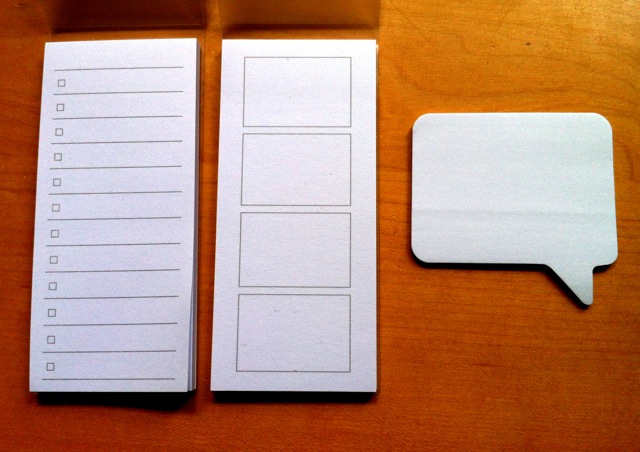
The rectangular sticky notes are a new find from Muji, and I love them! I use the one with the four blank boxes on my front page, and write in my four most important tasks/reminders to focus on, it feels less intimidating than a huge long to-do list! The speech bubble post-its are by Tiger. I also use sticky notes for ongoing tasks that I might need to move from week to week in my diary.

Next up is the 2012 yearly planner within my Dodo Pad diary insert, this is where I keep track of annual leave, days I’ve taken off work and any overtime I do. The spaces are absolutely teeny but they do the job, and I have miniscule handwriting.


Behind my first ruler is the current week in my diary, here is how I use the grid-layout to organise my time each week. Each cube is a 3-hour block of time, so the first 5 columns cover the time period 8am-8pm.
The arrows are my shifts at work and longer periods of study that I plan around these times, around which I slot in any dog walks or pet-sits that I’m doing that week, as well as exercise and other fun things.
As you can see I don’t write masses of detail in the boxes, my work rota stays mostly the same week to week, and I know which animals I’m working with at any one time so I would just write their names in the appropriate time slots and refer to my ‘Pets’ section when necessary.
I use the 6th column of the grid for any reminders or things I mustn’t forget that day.
The blank left hand page is for any more detailed notes on jobs or appointments that week, and for keeping a record of any important tasks completed/phone calls made/letters sent so that I’m able to chase things up.


My next ruler is a make-shift tab, and is labelled ‘Uni’. Here are some reference pages with UCAS log-in details, information on application deadlines, feedback I received from last year’s interviews, notes that might help me for next year etc. Just in case you’re curious, I am re-applying to study Veterinary Medicine which is possibly the most (or at least one of the most) competitive courses to get onto in the UK. There are a lot of deadlines and hoops to jump through, so this section is to help me keep on top of that. I also have information on overseas courses and their application deadlines as well.


After this I have my ‘Pets’ tab where I keep all of my reference information relating to my little business. I have client addresses and contact details, pets’ names and things I need to remember for regular clients. I also keep a list of my up-to-date prices in case I get a call when I’m away from my computer. This section only contains around 5 sheets of paper so it takes up hardly any room, and yet has all the information I might need on the go.  


My last two tabs are dedicated to study. The first one is ‘Maths’ and is where I record my progress through the AS Maths course that I am studying for independently. One thing that has helped enormously is discovering Workflowy.com. It allows you to create multiple to-do lists with as many sub-sections as you like, to tag particular tasks with a certain word or a person’s name if you’re working on a group project, or just to keep track of which items you complete along the way. The way I use it is to enter the raw information into it (module name, chapter numbers, exercises within each chapter) and print it off to put in my Filofax. I then cross through items as I complete them which seems almost too simple, but I find it an effective way of working.
This way I can always see how much I have left to cover, and work steadily through my list. I also write the date I start and complete each section, so I can see that I’m still on track.
So every time I write ‘maths’ in my weekly diary grid for example, I just refer to this section and carry on where I left off.


My final section is where I record my progress through the diploma I’ve just started with work – It’s a distance learning course, so I do something similar using Workflowy and enter every single task within each module to create a huge long bullet-point list. I also printed my full course specification so that I can refer to this when I need to.


The key to making this system work for me is just keeping it really simple, and figuring out what I need my Filofax to do for me. The Dodo Pad allows me enough space to organise my day in chunks of time so that I feel like I’m getting the most out of each day, and the blank page still allows me to write a fair amount of detail each week which is useful to refer back to.
My uni and business sections are needed mainly for reference, and my study sections are just for keeping track of my progress in a neat, easy way. It all requires very little effort to keep on top of, and there’s no need to sync information between different Filofaxes.
I use my iPhone for a couple of things like keeping track of money; it makes more sense to use a clever app on the go than having to whip out my Filofax each time I buy something. Everything else however is written down in my Osterley.


Thank you for reading!

Wednesday, 4 July 2012

OTF: Guest post no. 1, David's system with GTD

Hi everyone! 
Yesterday I asked for guest posts on your 'One True Filofax', specifically on the 'One life, one planner' philosophy!
I have the honour to present the first guest post, from David, whose set-up I am especially interested as he uses the GTD 'Getting Things Done' system. I hope you will like this post!

My GTD Set Up - David Popely - Guest Post
Kate has asked for guest posts from people with a commitment to the principle of ‘one life, one organiser’, so here is my contribution. I’ve been committed to that way of working since the early 1980s, and so far it hasn’t let me down, although I’ve obviously been through a lot of different systems and set-ups to arrive at what I now have. I’m also a very committed GTD practitioner, and in fact it’s my commitment to GTD which in large part, I believe, enables me to run everything out of one binder. GTD is a very compact yet very sophisticated system of organisation, and if you’ve never read David Allen’s book "Getting Things Done”, I highly recommend it.
Much of this post originally appeared on the Philofaxy website back in December 2011, so if any of it seems familiar, it probably is!
Since the writing of the original post, I’ve converted entirely to Filofax cotton cream inserts, and back again. There are reasons for this – the generic FF paper is way too poor for fountain pen, and the cotton cream just about makes it work. However, for variety of diary inserts in particular,  choices have to be made. I’ve got my own views about FF’s attitude towards refill quality, so I won’t get started here as they are fairly well-known!
Also, please be aware, though, that this is only ‘my’ setup – and, in fact, is only my setup at the moment – you will undoubtedly come to your own conclusions about what works for you, and there are no ‘right answers’ with personal organisation generally, or with Filofax set-ups specifically! One of the great strengths of the Filofax system is that it can so easily and (sometimes) quickly be re-jigged to cope with new requirements.
If anyone is interested in starting with the ‘received version’ of how to set up a paper planner for GTD, there is a very good white paper available from David Allen himself via his website. It’s a free download, although you have to register to get it, but that’s not likely to be a problem to anyone who has more than a passing interest in implementing GTD.
And so, to my own set-up, which is really a very-slightly-modified form of GTD, both in setup and in underlying principle. I’ve made these changes because they suit me temperamentally, and I think we tend to underestimate the role of temperament in what will work best for us. You, dear reader, may like a lot of structure (as I do), or you may prefer a freewheeling system which just captures everything you need to do and then leaves it to you to regularly review those tasks and make choices out of the whole range of available to-dos. That doesn’t work for me – I’m an accountant (CPA if you’re in the US) and time management consultant and have anything up to 120 ‘live’ deadlines for filing stuff with various Government agencies (or just delivering to the client) at any given moment, and each of those deadlines has sanctions, usually fines and penalties, attached, so it’s important that I keep on top of all of them, all the time.


Firstly, my go-to binder. As regular readers will know, my first choice is a Personal Malden in Ochre. I love this binder, for the combination of weight, style and accessibility. I’ve tried using my A5 Finsbury, but it weighs enough to make it undesirable as a travelling companion, most especially when I’m in London on business, as I am quite often, or especially on weekends. I have enough papers, files and overnight stuff to carry without 6-8 pounds’ weight of organiser to add to the load when I’m in London, and I really don’t want to be carrying something the size of a house-brick to the cinema or a restaurant on the weekend! Because one of my underlying principles is, ‘One life, one organiser’, I don’t split my stuff between binders, or use different binders for different aspects of my life. I want it ALL together in ONE place – which also happens to be one of the underlying principles of GTD. I know that when I pick up that binder I’m going to have everything I need, all together, in one place.
I do also have a lovely vintage oiled leather Hampstead binder which has two pen loops – quite unusual for a Personal size binder – and is considerably more rugged than the Malden, but usually the Malden wins!


Firstly, inside the front cover I have my most used plastic cards (the rest live in card-holder inserts at the back of the binder, plus my own business cards, plus postage stamps, train tickets if I’m travelling to/from London, etc. What I really like about the Malden (apart from everything else about it!) is the way the pockets are arranged here. This setup means that I can flip the binder open in the supermarket, at the cash machine, etc., and have all the plastic cards I need, right there. There is a larger pocket behind the card slots, and I use that to capture the receipts I’m picking up through the day as I move around. Because I’m self-employed, I just capture everything, and then decide later, on a daily basis, what needs to be kept and what can be thrown. The ones I’m keeping then get entered into my accounting software and ‘cold filed’ away, again on a daily basis. If anyone who is self-employed wants to know more about this they can get in touch and I’ll elaborate. You can save yourself a lot in accountants’ fees with just a little organisation and forethought!
Now into the main Filofax areas. As you will see from the accompanying photos, at the moment I’m using a basic 1-6 divider set, but I’ve added the diary tab from a standard set of dividers at the front. I’ve cribbed this idea from Gerard on Philofaxy and the time_and_life_management Yahoo group I run (many thanks Gerard), and it works really well for me. This is my first real departure from the ‘received wisdom’ of GTD, which has the notes/capture section in first place – however, as I say, this work for me.


Diary-wise, my current plan for 2012 is to use a Day on 2 Pages diary/to do list setup, which I’ve bought from the French Filofax website, backed with a standard 2012 year planner. I can only get 3 months’ worth of daily sheets in the binder, but it’s a compromise I’m prepared to make. The year planner will give me perspective on the rest of the year (as well as on the 3 months I’ve got in as daily inserts), and within the next month I plan to have a 2013 year planner as well, behind that, for anything truly long-term which needs noting. Generally the year planner only tells me geographically where I’m going to be at any given point – there isn’t much room for detail - but the place reminder is usually enough to prompt me. As previously mentioned, when I’m in ‘cotton cream’ mode, I’ve used a week on two pages standard format diary (which happens to be the only one FF do in cotton cream, but I’m not fond of the format, and presently I’m back with the day on two pages. Looking forward, I think a day per page for 2013 will be a good compromise between space and perspective.

After the diary section, I’ve currently got a makeshift index page to the other six sections. I did plan to replace this with a printed sheet  once the whole thing was bedded in for 2012, but so far I haven’t got round to it!.


Section 1 is my notes/capture section. This is my one concession to colour......I’m currently using yellow lined paper here, it gives me the ‘feel’ of a yellow legal pad, which is what I used before I decided to unify everything into the Filofax. Also, the yellow paper stands out if I get into a middle of papers as data capture is the only thing I use it for, so important ‘raw data’ doesn’t easily get lost. These ‘raw’ notes are sorted daily, and the resulting next actions, projects, etc.  are transferred to the relevant sections. This is really the most important section I use daily.....the GTD ‘system’ of capturing everything in one place and sorting it later enables me to keep a clear head and to stay focused in a way which would be impossible otherwise.


Section 2 is my Next Actions, divided into home, work and personal. If the ‘work’ list in particular starts to get out of hand I create separate lists for London (stuff to do when I’m there, so this is in part an ‘errands’ list), phone, email, etc. I also have my ‘waiting for’ list in here, so that I can always be ahead of the game when it comes to keeping tabs on slow-responding (or slow-paying) clients.
Section 3 is my Agendas section. I don’t use this a great deal (I no longer have that many face to face meetings, and I don’t have staff), but what do use it for is notes for my client meetings with those whom I see on a regular basis when I’m in London, and for on-site ‘must do’ tasks. That way I don’t forget anything I mean to raise when I’m in the meeting, or to do when I’m on-site with a client.


Section 4 is my Project Lists. These are again divided into work, home and personal. These, together with the Next Actions lists, form the core of my weekly review, which I try to carry out on a Friday afternoon, last thing, so that I can start the weekend knowing I have everything ‘nailed down’ for the coming week, or on the train home from London if I happen to be there on a Friday. Three hour train journeys have their uses! I don’t like using my weekend time for any of this, even though some of it is personal stuff. As an adjunct to this, I also confirm any appointments for the following week, by email. The image here is showing lined paper, but I am currently using To Do sheets for these as well as for my next actions. I’ve vacillated between lined and To Do, but as I have a fair number of the latter to hand, I’m using them up and will then probably go onto lined paper for the whole setup – no costly investment in fancy inserts. It’s the functionality I want, with an acceptable level of style to accompany it, but so far as I’m concerned, if it doesn’t work, I don’t want it, no matter how good it looks!
Section 5 is my Project Plans section. I try to have a plan for everything which is in the Project List. Also in here are my 2012 goals, and a summary list of my Areas of Focus – again, all concepts taken from David Allen’s “Getting Things Done” and “Making It All Work” (which deals more with perspective than with just getting control). These also get reviewed in with the weekly review.
I reckon I can do the weekly review adequately in around an hour....not much time invested, given the payoff.


Finally, section 6 is my information section. In here I have various bits and pieces of often-accessed information. If I find I’m not accessing something on at least a monthly basis, it gets thrown, provided I have the information electronically somewhere, or I know how to find it easily.
I don’t have a contacts section. All my contacts live on my BlackBerry, and are far easier to access that way. Also, I have a Google-based address file as backup which is cloud-based, so I don’t have to back it up. I use Dropbox (possibly the best software ever?) for all my documents, so again, I never have to back them up. Google contacts sync with my BlackBerry wirelessly and automatically, so I don’t have to remember to sync with a cable. I do have to remember to charge the phone, but I spend enough time in the car to be able to do that whenever I’m on the move and the phone is off – as it always is when I’m in the car.
If I were to choose to do my diary electronically I would use Google calendar for the same reasons of backup and syncing. However, I’ve never found a suite of electronic apps yet that can beat the Filofax for ease and speed of access, universal availability (I simply never leave it behind) and security. I defy any of the advocates of electronic systems to beat the Filofax, or at least paper-based system. For me, it continues to ‘just work’, just as it always has done.
I used to keep notes of my expenses in the ‘Financial’ tab of the standard dividers when I was using those, but since I dropped them (and the note-taking with it) I find that capturing the receipts and processing them into my accounting system (where they would end up anyway) is good enough.
So that’s my system. You’ll see that I mostly use plain white ruled paper (or plain for printing) and I really don’t need a lot of different forms, provided you don’t count To Do forms, which I am really just using up. I think this entire system can be run using shop-bought plain white (or cotton cream) ruled paper, with some unlined for printing the odd sheet, which in turn keeps it professional and ‘clean’ looking for work purposes.
Good luck with your planning , and have fun!
David

Tuesday, 3 July 2012

OTF: Call for guest posts on 'One Life, One Filofax'

Hi everyone!

I am really interested in how people follow the 'One life, one planner/Filofax' philosophy! Personally, I use several filofaxes at once, one for overall organisation, one for uni work, and when I have some free time this Autumn/Winter, several more for hobbies etc. But how do you guys use just one filofax to plan everything?

I'd really love for some guests posts on your One Life filofax! It would be great if you could describe your set-up, put a few pictures in and your opinions on how it's working for you. Also, please answer this question: Is this your One True Filofax?

Please leave a comment below if you would like to do a guest post!

Thanks so much!

Friday, 8 June 2012

One True Filofax?

Hi everyone!

I was just reading Philofaxy's Free For All Friday and someone asked a question about the Ostrich filofax. This reminded me of Ro, who uses an Ostrich and it is her one and only, everything Filofax. For years she has used this and it is beaten up but each scar tells a story. You can read about Ro's Filofax obsession here on Philofaxy's Reader Under the Spotlight.

This is what I would call a One True Filofax (copyright: Me!! I'm coining this phrase and taking out a copyright on it!!!!! OK, not really...). 

Mr Ochre Malden here would be my One True Filo!!

So I'm particularly interested in what you guys think about this:
Do you desire an OTF? Do you crave finding the perfect solution? For you, is it a search for the perfect binder- the right leather, perfect colour, pocket layout? Finding the perfect size for you? Or, is it about the insides- finding the perfect set-up of inserts, dividers, planning pages, that will last you through the years. Or even finding the right diary format? I know Jotje extols the virtues of a one-life, one-planner philosophy- and I can see the virtues in this, definitely. Laurie has spent years, and established a wonderful blog, trying to find the perfect planning system for her.
Or, do you like the flexibility of being able to change between different binders, and even different sizes, as your life requires it? Do you value the ring mechanism of the Filofax for the ability to change the set-up of your filo with ease? Do you like change?

I think I am going to turn this into a regular blog feature, with guest posts and even a competition or two!! In the comments, please tell me if you think this is a good idea for a series, and if you would like to do a guest post! It could even be a guest video! Don't tell me about your One True Filofax or One True Set-Up yet, wait for the relevant blog posts :)
Get thinking about what you would like to say!!